Blogger: Blogger is a free online platform which I use to publish all of my coursework on to a digital/online presence. By doing so, it allows me to keep a back log of all of my research and planning as well as all the information about my film. This is useful as I can edit any of the posts at any time but it also provides a much easier way for our teachers to view all of our work quickly and in one place. The ability for both teachers and peers to leave feedback on any of the posts is also helpful as it may shed some light on what I have to do in order to make each post to the highest standard possible. Overall, the use of the Blogger has allowed me to add a real structure to my research and planning (time and dates etc) but also allows me to present mywork in a professional looking way.

Youtube: Youtube is an online video based media sharing website; and was one of the main online products that I used in order to conduct my research and planning. Ultimately, I used youtube to research other short films for things such as my inspirational texts which helped me identify what it takes to make a short film.I also used youtube to help me find music for my radio advert and film, it's a quick and easy service that I really enjoy. After making this choice, I then continued to use Youtube to research the other films (not just short films) in order to keep the whole project on my mind. I also used the site to host my final film and radio advert, as well as a couple of my reconstructions. I'm extremely Glad youtube exists!

Prezi: Prezi is an online programme which allows you to create presentations similar to the way you can in Microsoft's power point programme. However the thing that sets Prezi apart is that the presentations are dynamic and very aesthetic pleasing. One particular template allows you to create a presentation based around the London underground map. I think the site is very creative and adds a little bit of fun back into the project. You are able to add any picture you want and I'm in little doubt that you could probably create anything you want with prezi.
Adobe Photoshop & Premier Pro: I used Adobe Photoshop mainly to create my Poster. However, I also used this programme to create mood board and present my initial ideas on, creating more presentation pieces as opposed to just posting the text onto the blog. In photoshop I used basic text, colour and shape manipulation skills in order to achieve my works. Despite this I had a field day downloading fonts from the website 'DaFont'.I spent far too long looking for the perfect font and eventually I found the one I wanted to use for my project. This tool was extremely useful as I was able to manipulate my works fully and edit them until I believed it was complete.
I used Premier Pro to edit the footage to create my short film, titled : 'Journey'. Having used the programme prior to the second year of the media course, I found this process fairly straight forward, and I am indeed happy with the end product that I've achieved. By using a professional editing programme I was able to achieve professional looking results by applying common conventions of professional studios' films into my own through the use of Premier pro. With out the use of this programme we would not have been able to complete the majority of our coursework or present the video to our audience.

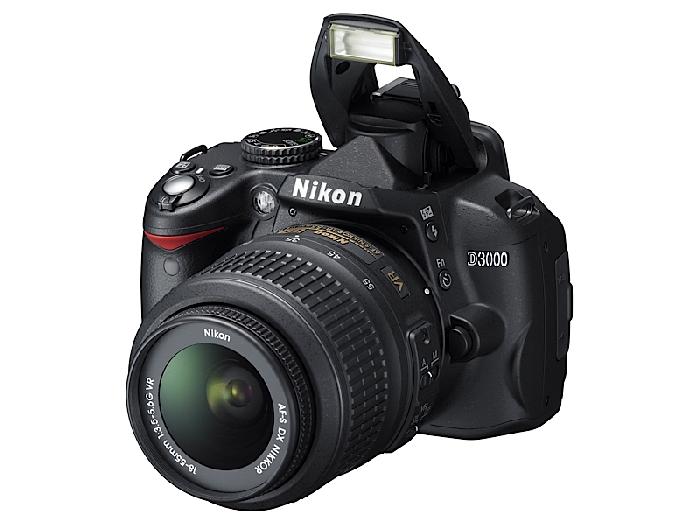
Canon: The majority of the filming & photos that can be seen were taken or filmed with this digital SLR camera. All of the footage I captured to create the film was recorded across a wide range of days and locations days using the automatic settings on the cameras. Due to the camera being of excellent quality I was subsequently able to gather high quality footage fairly easily.I was happy with how the footage came out and therefore we were pleased with the final piece. Coinciding with the use of this camera I has use of an SD card in which I used to transfer my footage across to the macs which I used to edit the video on a much simpler and less time consuming task than if I had to transfer the video through a fire wire port or something similar.
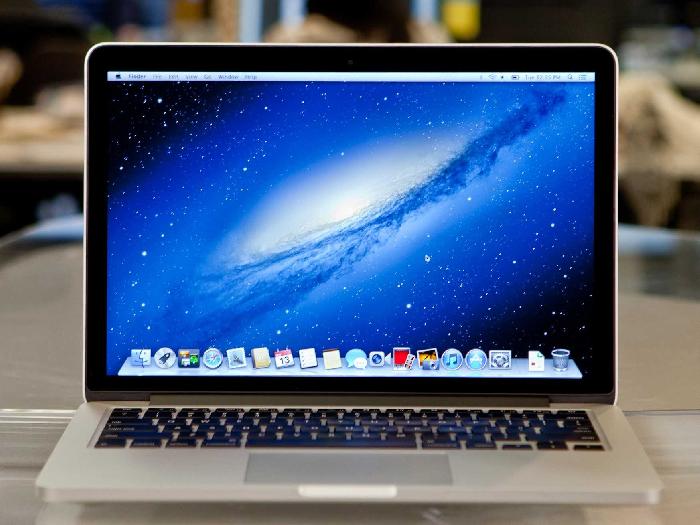
iMac : Having to use technological resources such as Photoshop to create my ancillary texts & Final Cut Pro to make the video, it required the use of my own personal Laptop and the use of the colleges' facilities - the iMacs in the Mac suite. Not Having access to the same programmes on my own personal device stopped me to from being able to continue to work at home outside of class, which meant lots of hours spent in the Learning Centre using the Macs they have their. However, the editing process was made a lot easier at school due to the larger size of the iMac monitors. Both were used when conducting my planning and research with the blogger account that I use being linked with both Macs.
Miscellaneous Items: In order to make this entire process easier I used a number of smaller items, for example when filming I used tripods and stands to steady the cameras for a better quality shot. I used my Phone to access blogger and other online resources when conducting researching and planning. When filming, I used a Bike to get from one place to another quickly and efficiently, meaning I didn't have to rely on things like public transport to get to places on time.
Conclusion: For the most part I used each of these pieces of technology and kit individually in order to complete the process of making the ancillary texts and piecing together my film. However, these products worked together and made the process much simpler than it could of been . If I wanted to change anything from a blog post on Blogger to a section in the video, I could be online in seconds and I would always have my footage or products with me due to the portability of the memory sticks and SD memory cards. It would not have been a hardship to have to carry the cameras at all times either. To summarise, the whole process was enhanced thanks to the advancements in technology.

No comments:
Post a Comment